New in v1.5 · Intelligence · On-device · Pro
Describe and keyword your whole library, privately.
MetaScope's on-device intelligence looks at your photos and helps you caption and tag them: natural-language descriptions and smart keyword suggestions for scenes, pets, people, and text. Everything runs on your Mac. Nothing is uploaded, and nothing is written until you confirm.
The problem
Describing and keywording a large shoot is slow, manual work, and the tools that automate it usually mean uploading your photos to someone else's cloud. MetaScope does it on your Mac, and leaves you in control of every word.
01 · AI photo descriptions
Draft a caption from what MetaScope actually sees.
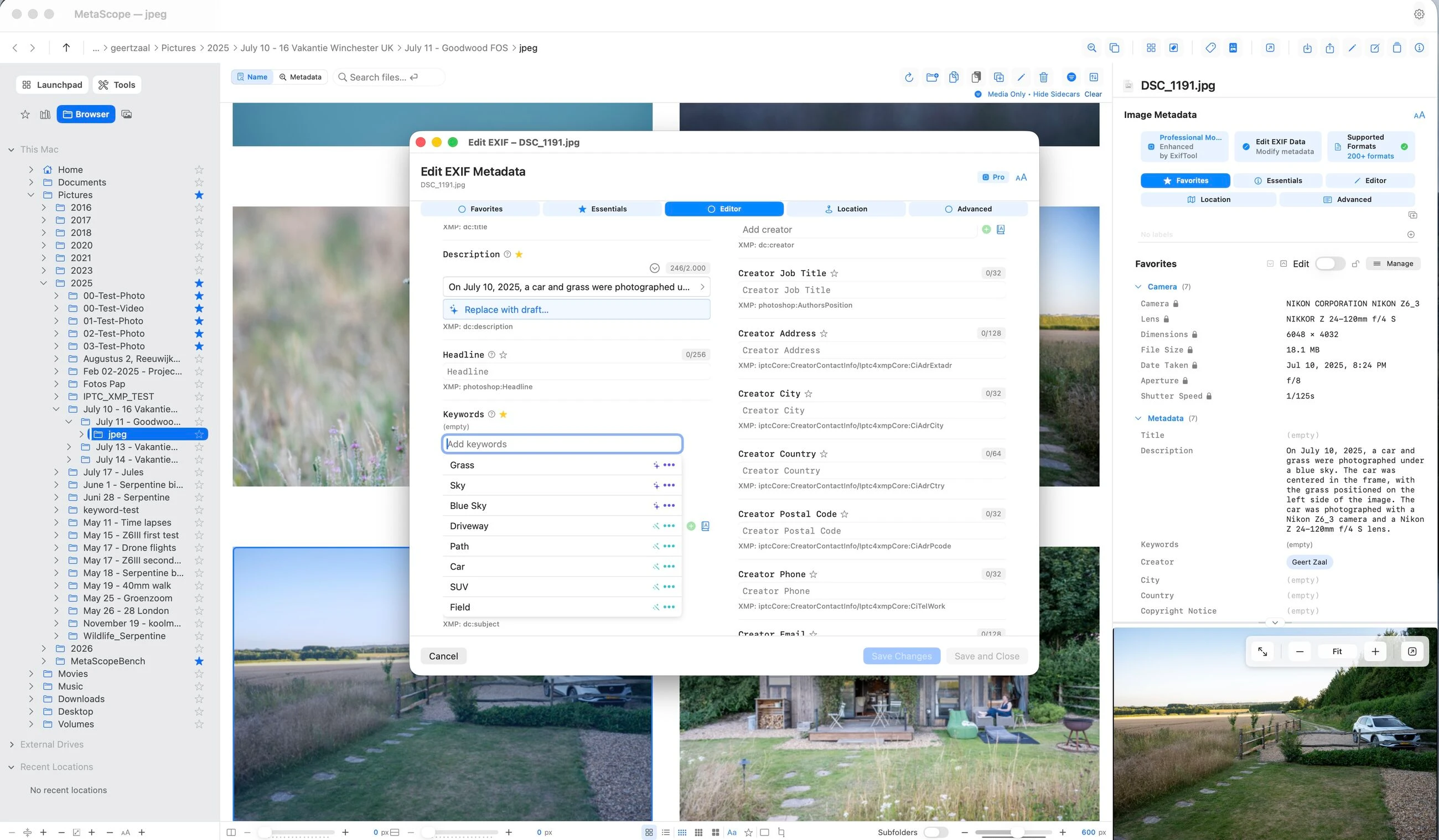
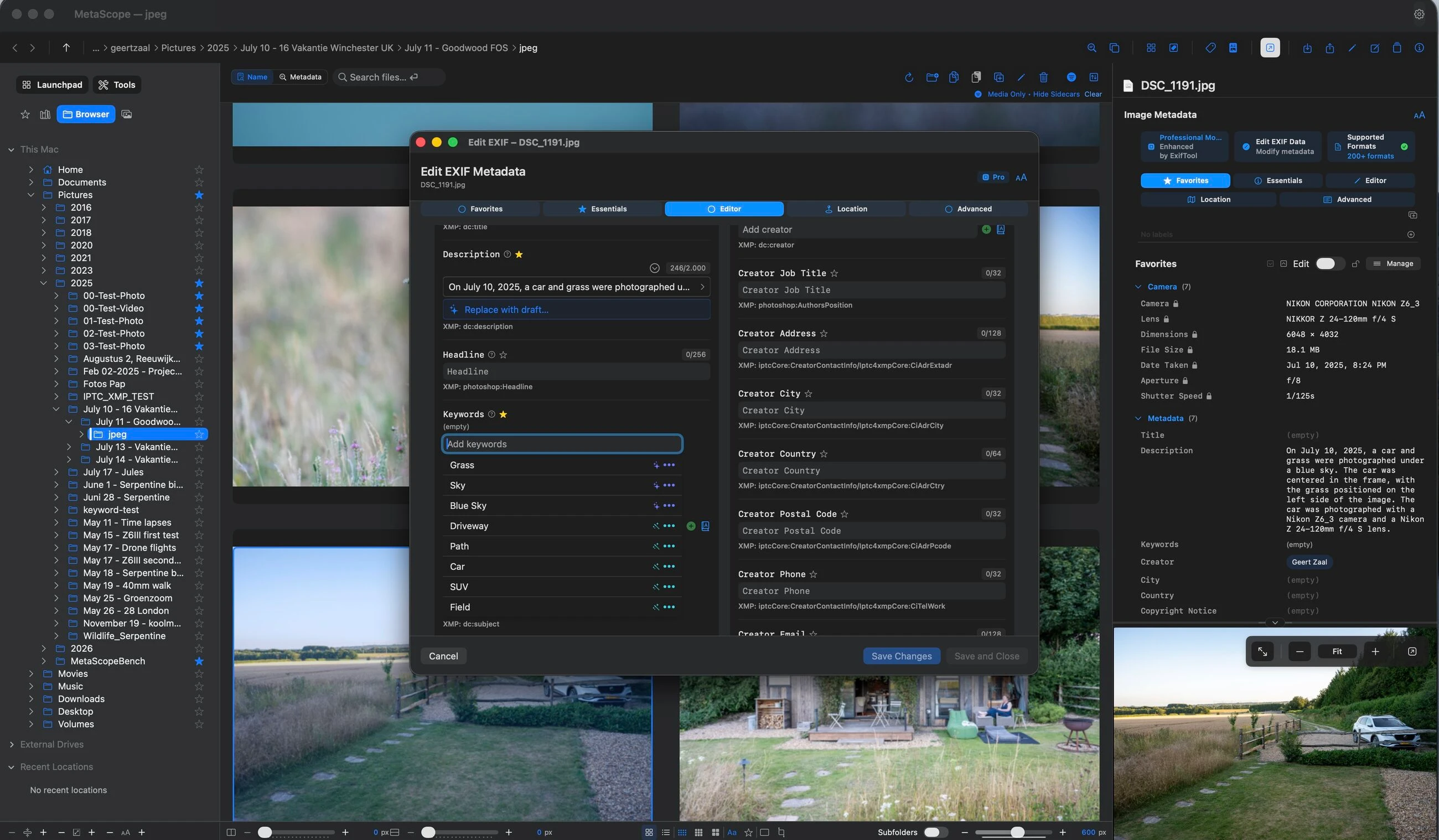
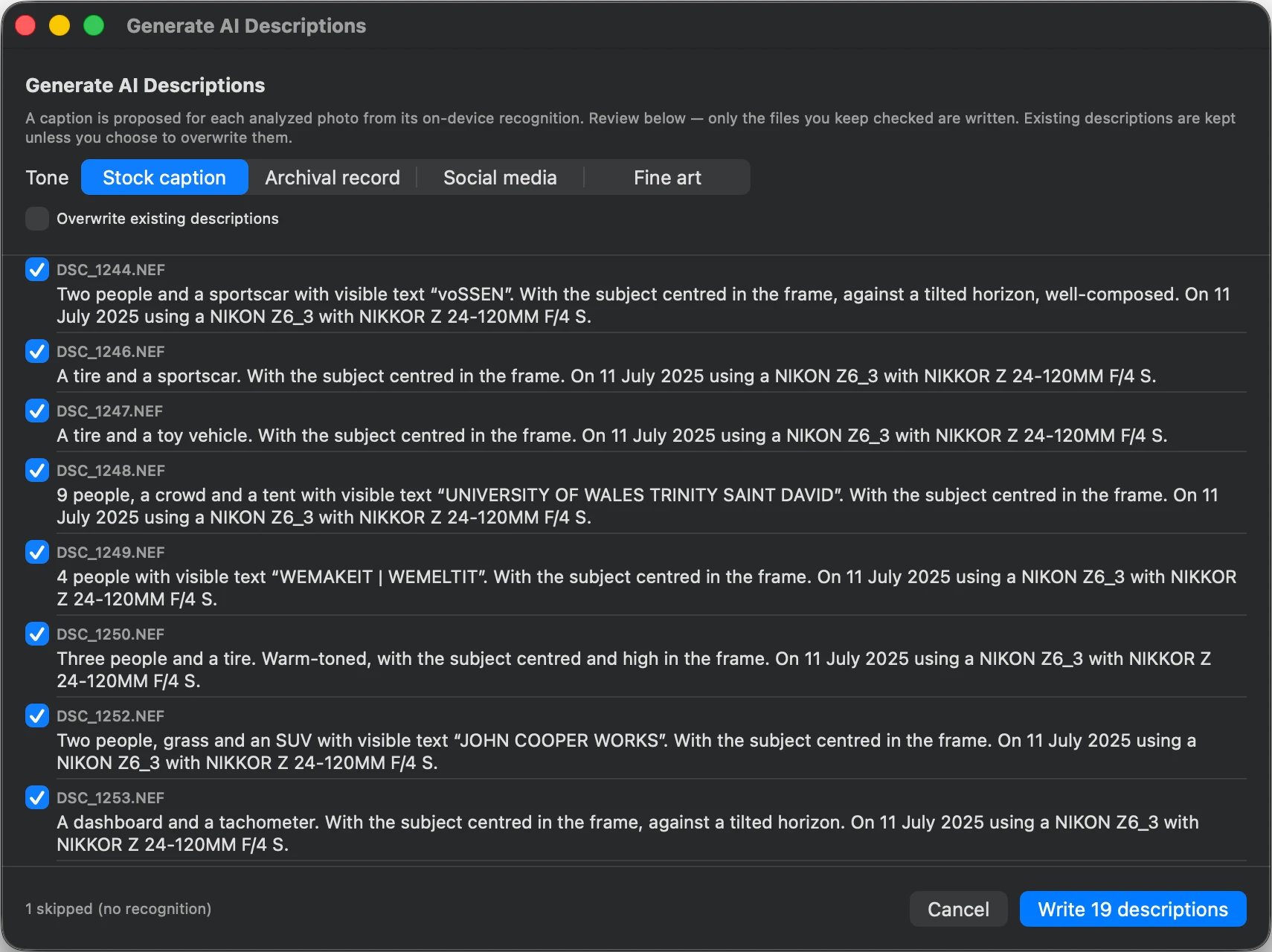
Tap Draft and MetaScope writes a natural caption ("A dog on a beach at sunset."), then stages it for you to edit. Generate AI Descriptions… captions a whole shoot in four tones, with a per-photo review list so you keep only what you want.
- Stock caption
- Archival record
- Social media
- Fine art
Descriptions fold in location, date, and camera, transcribe short visible text, and note composition and people counts. On macOS 26 with Apple Intelligence, an optional prose rewrite adds fluency, still grounded to the facts.
Title and Headline draft too, composed from the file's existing Description and Keywords rather than from the image itself, so they work whether or not a photo has been analyzed. Every user gets a built-in draft on every supported macOS version, and Pro users on macOS 26 with Apple Intelligence get a more fluent one. Nothing is written until you save.
How descriptions work →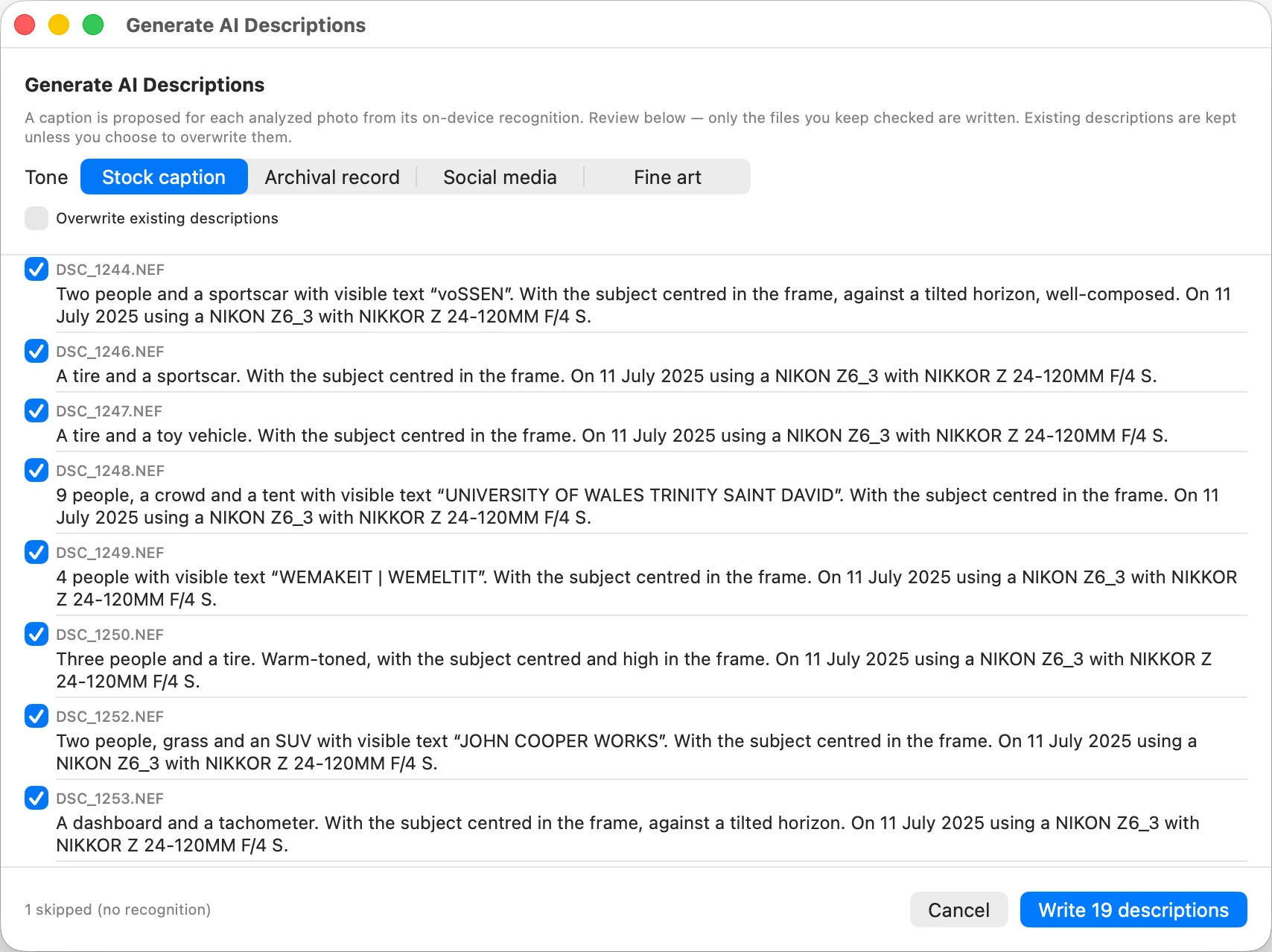
02 · Smart keyword suggestions
Tag by what's in the frame, across 1,000+ subjects.
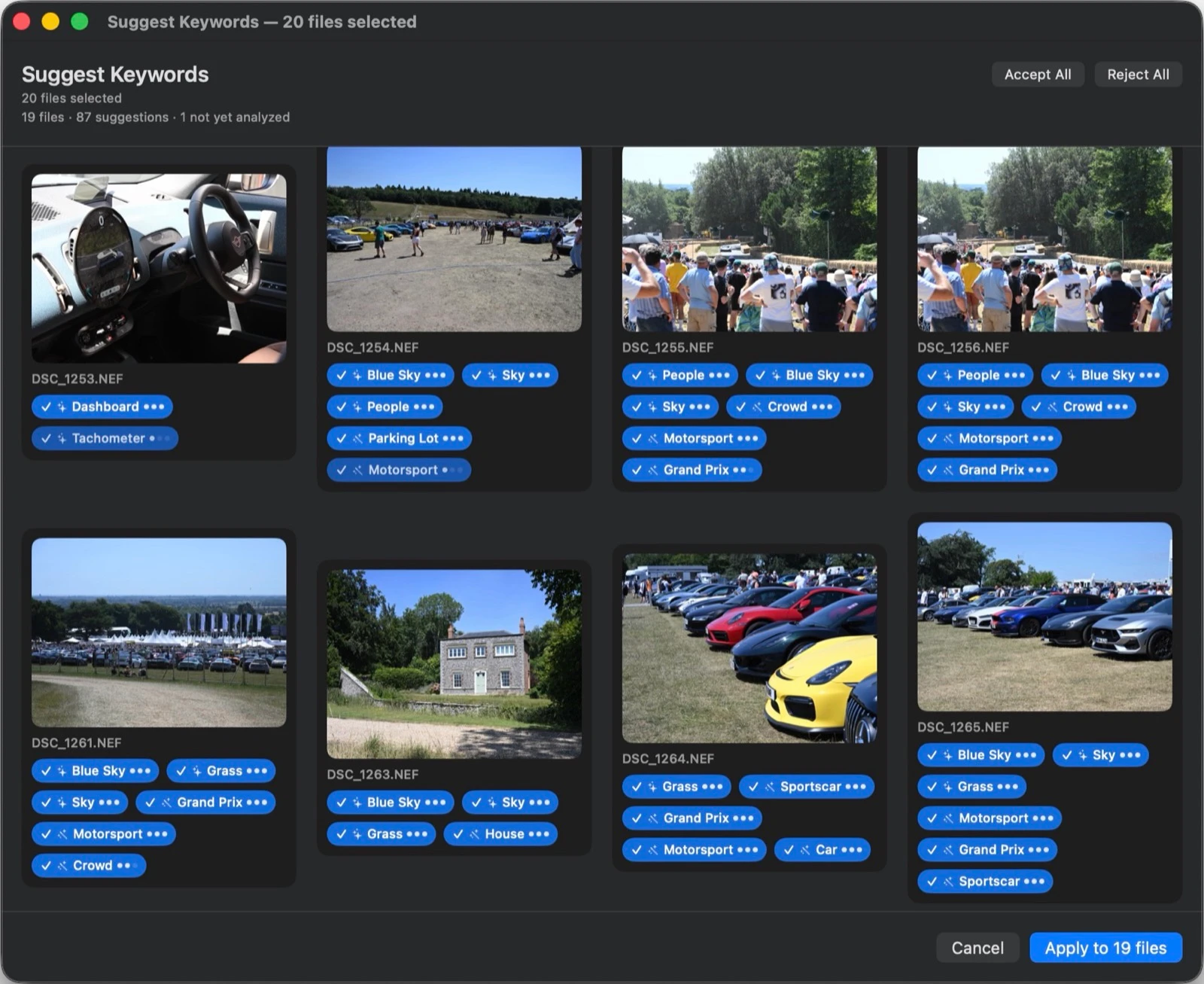
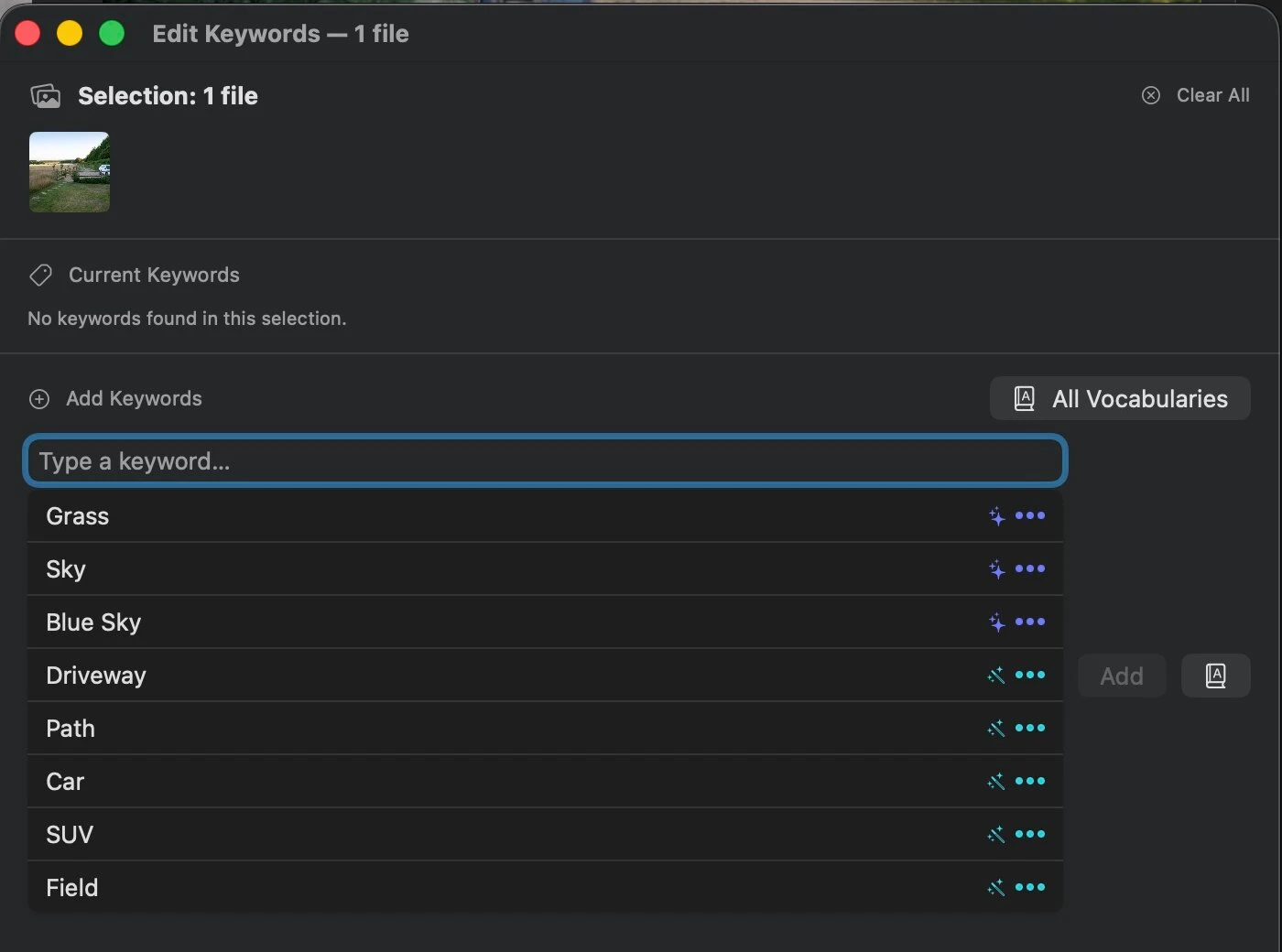
Analyzed photos surface curated, badged keyword suggestions in autocomplete and the Batch Keyword Editor: breeds, foods, plants, instruments, sports, landmarks, pets, and people. Suggest-only, so nothing is written until you accept.
- Golden retriever ●●●
- Beach ●●○
- Sunset ●○○
Auto-Keyword Folder reviews a whole folder in a fast accept or reject grid, each suggestion with a source glyph and a 1 to 3 dot match-strength.
How keywords work →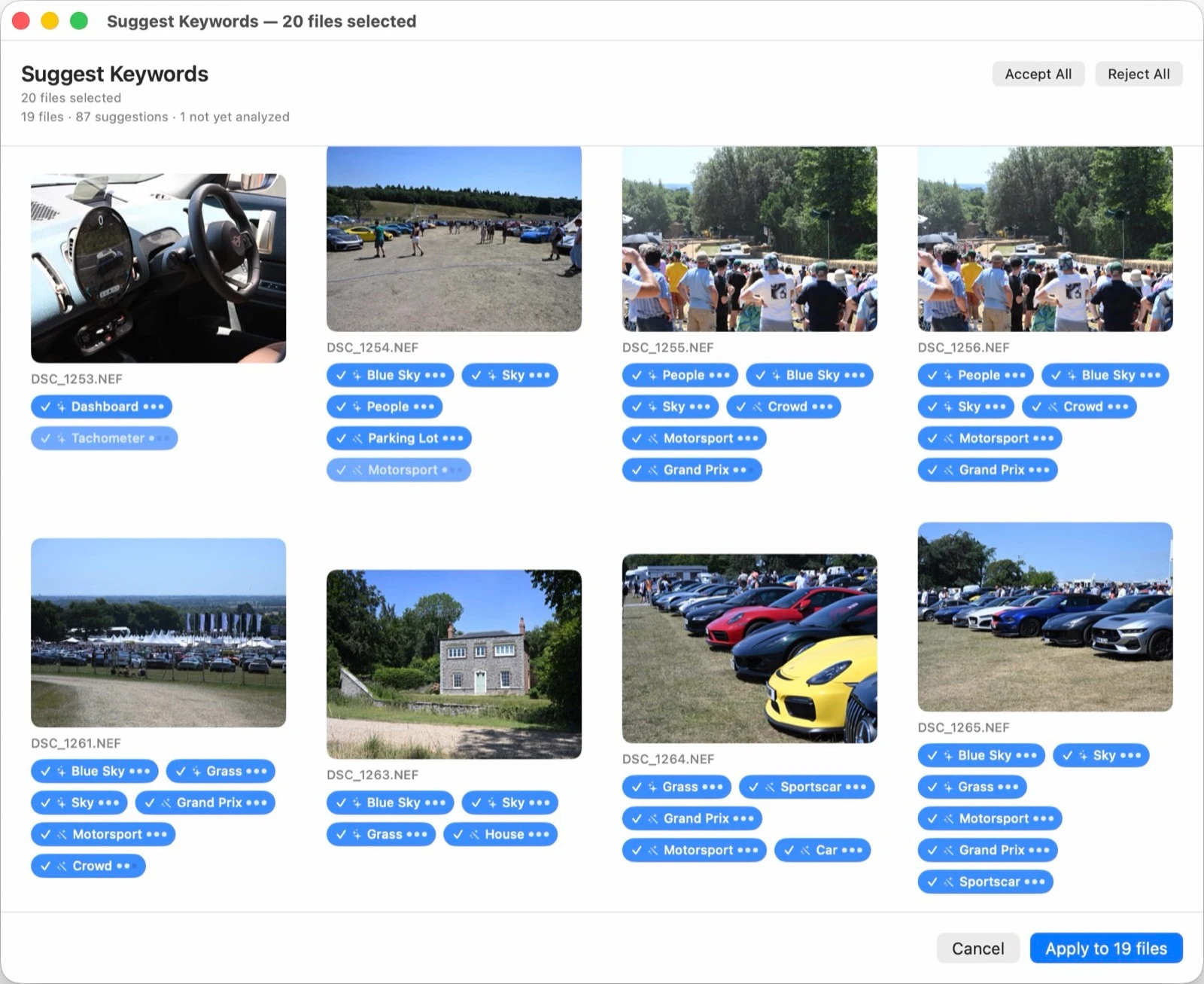
03 · Enhanced Recognition · Pro, optional
A second model for the subjects Apple's misses.
Turn on an optional second on-device model that catches specific breeds, vehicles, and scene objects, each shown as an Enhanced chip and boosted when both models agree. Bundled with the app, fully offline, off by default.
About Enhanced Recognition →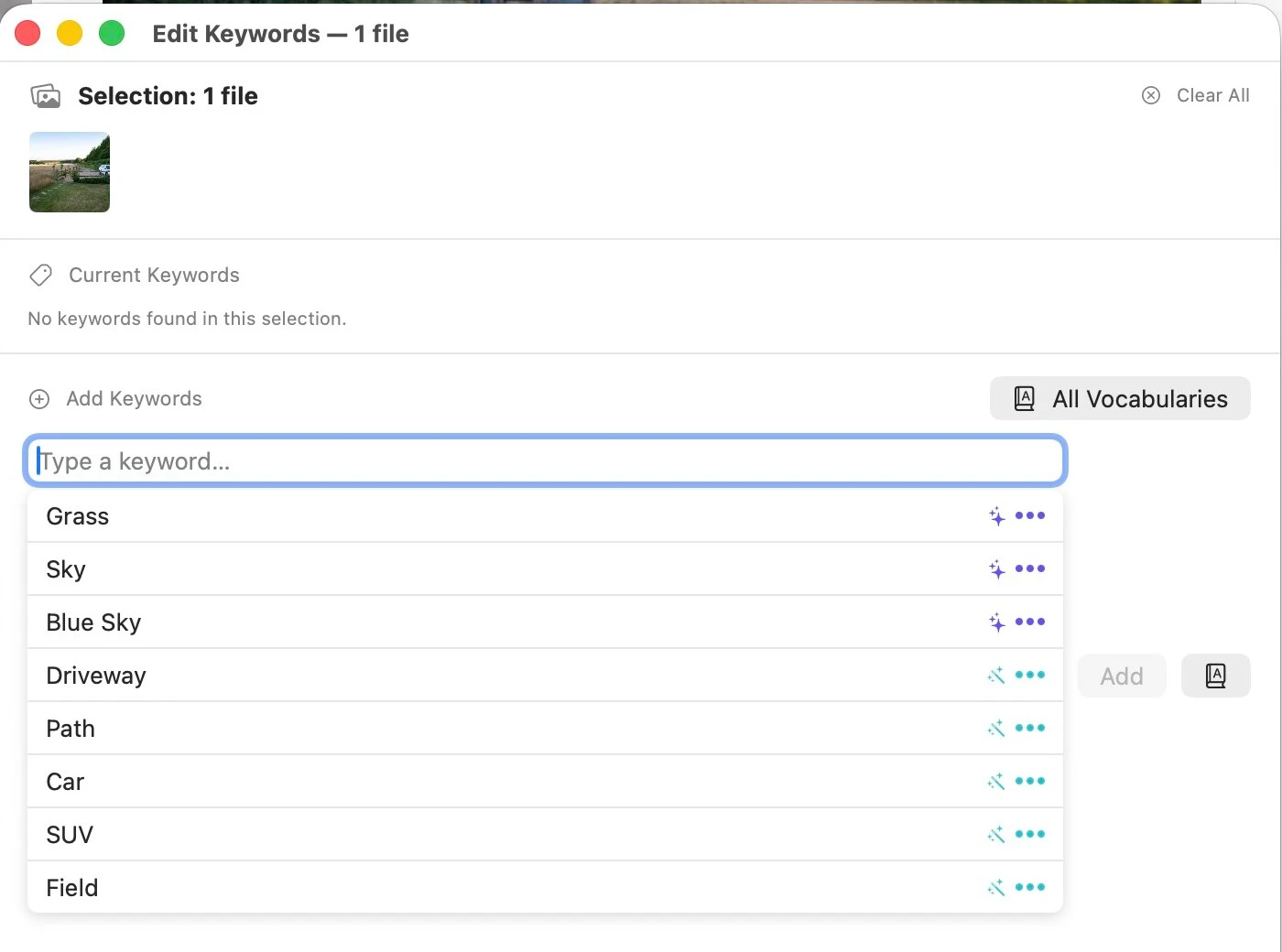
Private by design
Your photos never leave your Mac.
Every part of Image Analysis runs on-device. There is no upload, no network dependency, and no identities are recognized or stored.
Requirements
What you need.
macOS 15.4 Sequoia or later. Apple Silicon or Intel.
AI descriptions and Enhanced Recognition are Pro features. Title and Headline drafting is available to every user.
The optional fluency pass needs macOS 26 with Apple Intelligence.
Caption and tag your library, privately.